Kuryente Scout · Volunteer Guide
What does a volunteer do?
Kuryente Scouts are community members who report live power status for their barangay. It only takes a few seconds — tap a button when the lights go out, and tap again when they come back. That's it.
Your report powers the map
KuryenteWatch shows a live electricity map for all 36 barangays in Infanta. Every colored polygon you see is updated by a volunteer just like you. Green means power is on, red means it's out. Your single tap keeps your community informed.
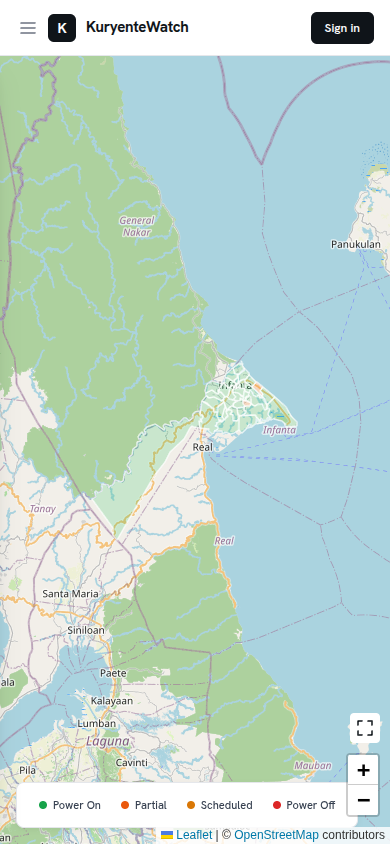
The public map — visible to anyone, updated in real time.
Sign in and see your dashboard
Once you're approved as a scout, you'll receive an email with a link to set up your password. After signing in, you'll see your personal dashboard — it always shows the current status of your assigned barangay and the reporting buttons.
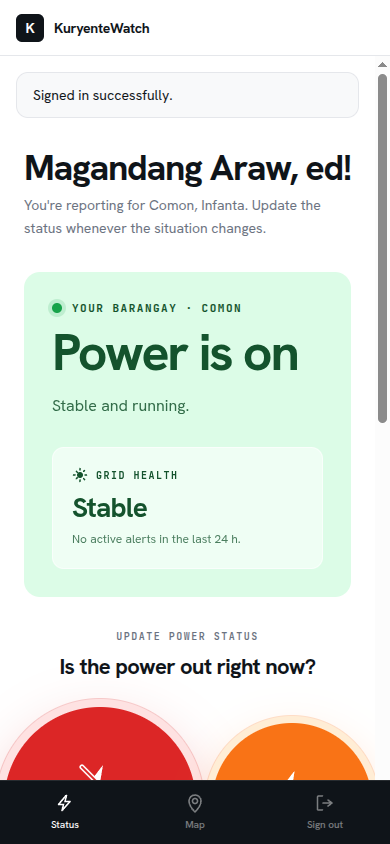
Your dashboard — showing current status and the reporting controls.
Report when the power goes out
When the lights go out in your barangay, open the app and tap the Full outage button. A confirmation screen appears — review the details and tap Confirm. The map updates instantly and subscribers receive a push notification.
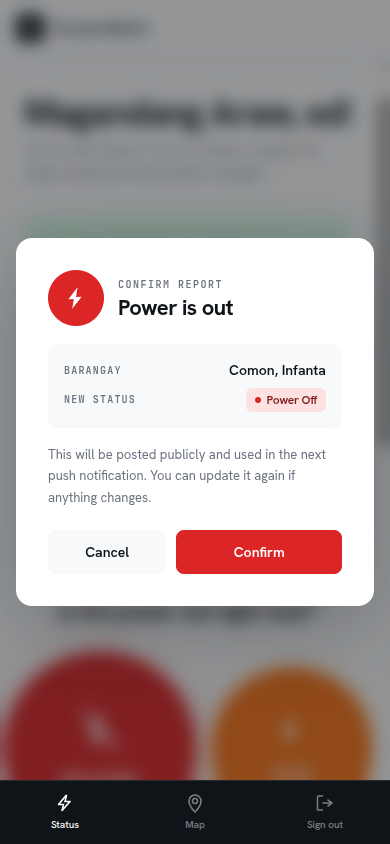
The confirmation screen — tap Confirm to post the report publicly.
Partial outage? Describe the affected areas
If only part of your barangay has lost power — say, one purok or phase — tap Partial instead. You'll get an optional notes field where you can name the affected streets or zones. This helps residents and local officials know exactly where the problem is.
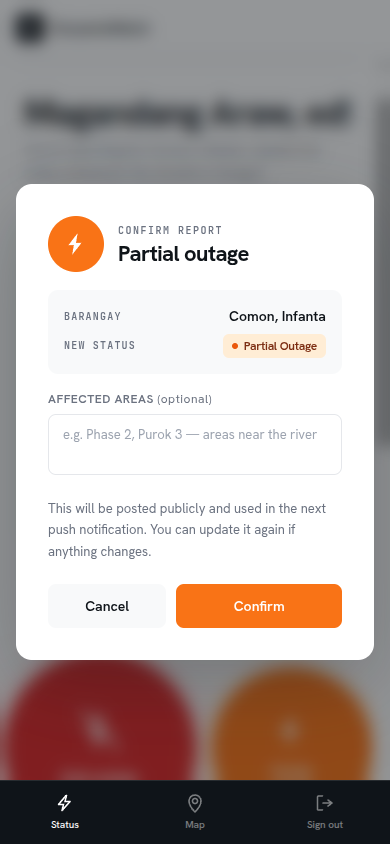
Partial outage — you can name specific puroks or phases affected.
Tap when power comes back
When the electricity returns, open the app again and tap Power restored. Confirm, and the map flips back to green. Subscribers get a second notification. The whole cycle — report, confirm, restore — usually takes under 10 seconds of your time.
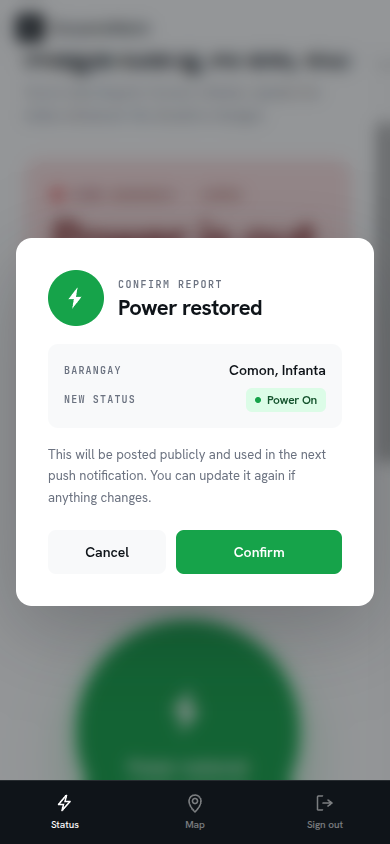
Reporting restoration — the community gets notified immediately.
No training needed. No forms to fill. Just a tap when something changes.
You don't need to be online all the time — just report when you notice a change. Even a single well-timed report can help dozens of families plan their day.
Common questions
Usually under 10 seconds. You open the app, tap a button, and confirm. Most scouts check in when they personally notice the power going on or off.
We'd love it if you do, but we understand life gets busy. Any report is better than none. Even occasional updates keep the map more accurate than having no scout at all.
Just leave the status as-is. The admin team monitors for stale statuses and can update the map manually if needed. You can also message us and we'll cover your barangay temporarily.
No — as a volunteer you only receive communications about your account (like password resets). The push notifications go to the public subscribers, not to you.
Yes. Each barangay has one primary scout. This keeps the map consistent — one voice per community, no conflicting reports.
Become the eyes and ears of your barangay.
Check if your barangay still has an open slot. If it does, submit an application — it only takes a minute. Admin approval usually comes within a day.
Apply to be a Kuryente Scout →